Become a Kaya Host and Bring the Stream to Life
Enjoy live voice conversations, meet new people, and create a room where others can talk, laugh, sing, and connect. As a Kaya Host, you can take part in host tasks, explore eligible rewards and rewards!
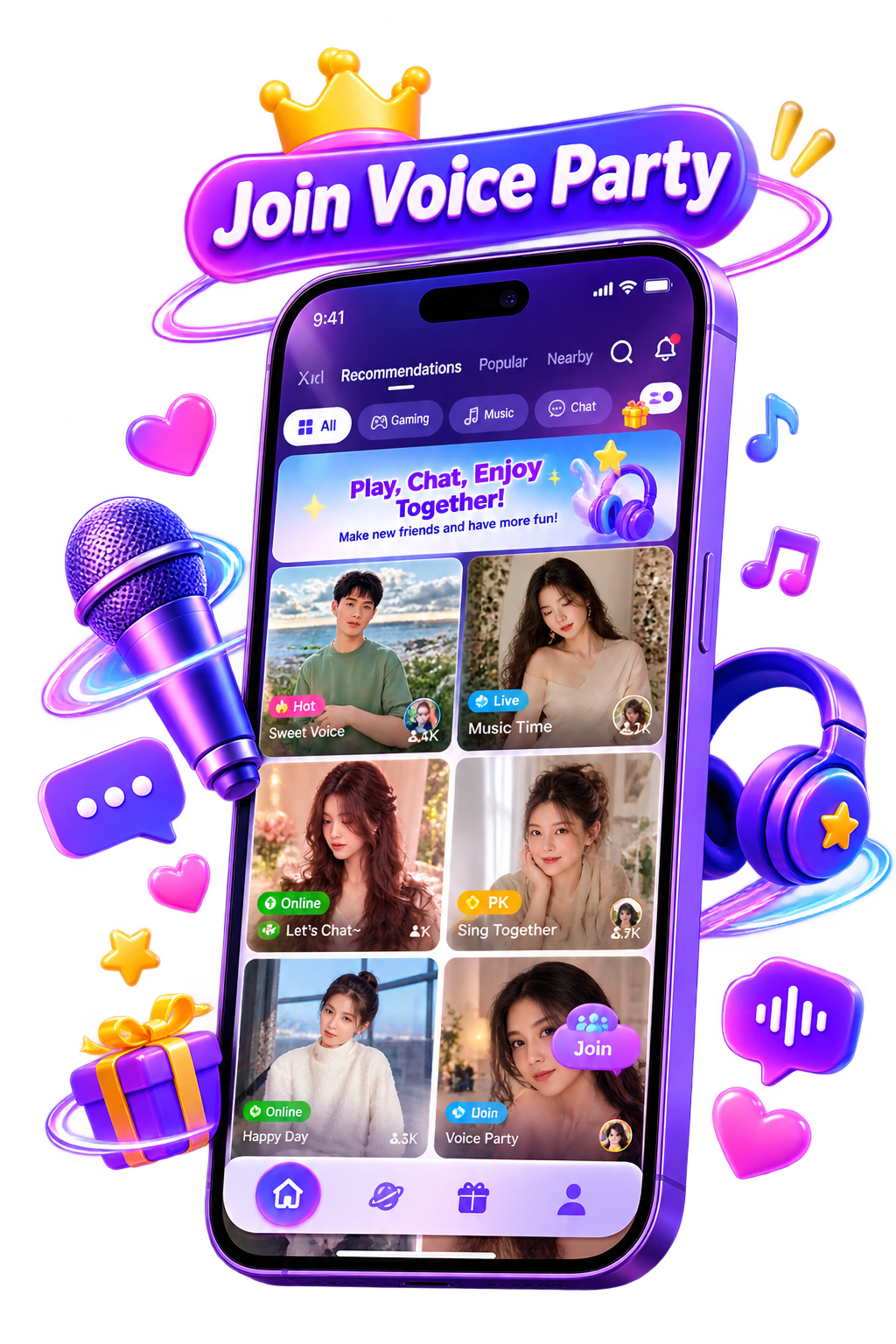
What Is
Kaya Chat Host?
A Kaya Host is a user who takes part in the app’s live voice-room community and can host conversations of their own. Hosts can welcome people into a room, chat, sing, and interact with participants. Eligible hosts can complete tasks, receive gift shares, take part in invitation activities, and work toward available rewards from anywhere.
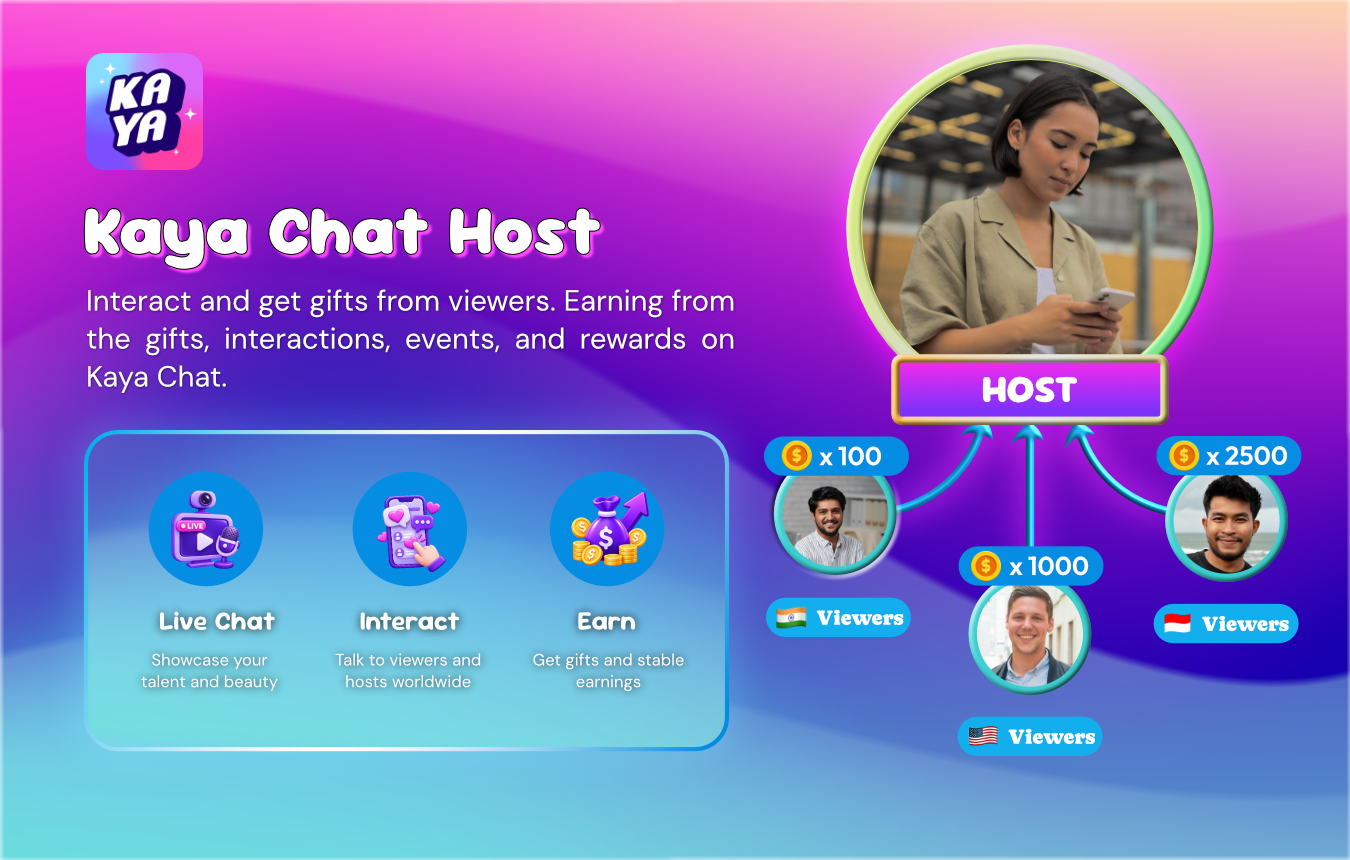
Explore the ways hosts can earn
Kaya Chat has several host earning options. The reward you qualify for depends on the task, your eligible activity, the relevant time period, and whether you meet the requirements.
| Earning source | How it works |
|---|---|
| First 7 days: basic mic-time reward | New hosts can receive 8,000 diamonds for 1 hour on the mic per day, for up to 7 days. |
| Ongoing basic mic-time reward | After the first 7 days, the listed basic reward is 600 diamonds for 1 hour on the mic per day. |
| 7-Day Income Task | Hosts can qualify for different hourly diamond rewards by meeting the 7-day diamond-income target and mic-time requirement. |
| Gift sharing | Share for Deluxe gifts is 70%. Lucky gift shares are 2% and 5%. |
| Room Owner Bonus | A room owner can receive an additional 1% Host Bonus on eligible gifts sent to participants in their voice room. |
| Game invitation commission | Rebate rates range from 0.1% to 0.3% based on qualifying game activity from invited users. |
| Top-up invitation commission | 3% for Tier 1 referrals and 1% for Tier 2 referrals. |
| Host invitation bonus | You can earn diamond rewards when invited hosts reach specified income milestones within 30 days. |
| Task and ranking events | Hosts may take part in categories such as Hosts Ranking and Weekly Agency Ranking. |
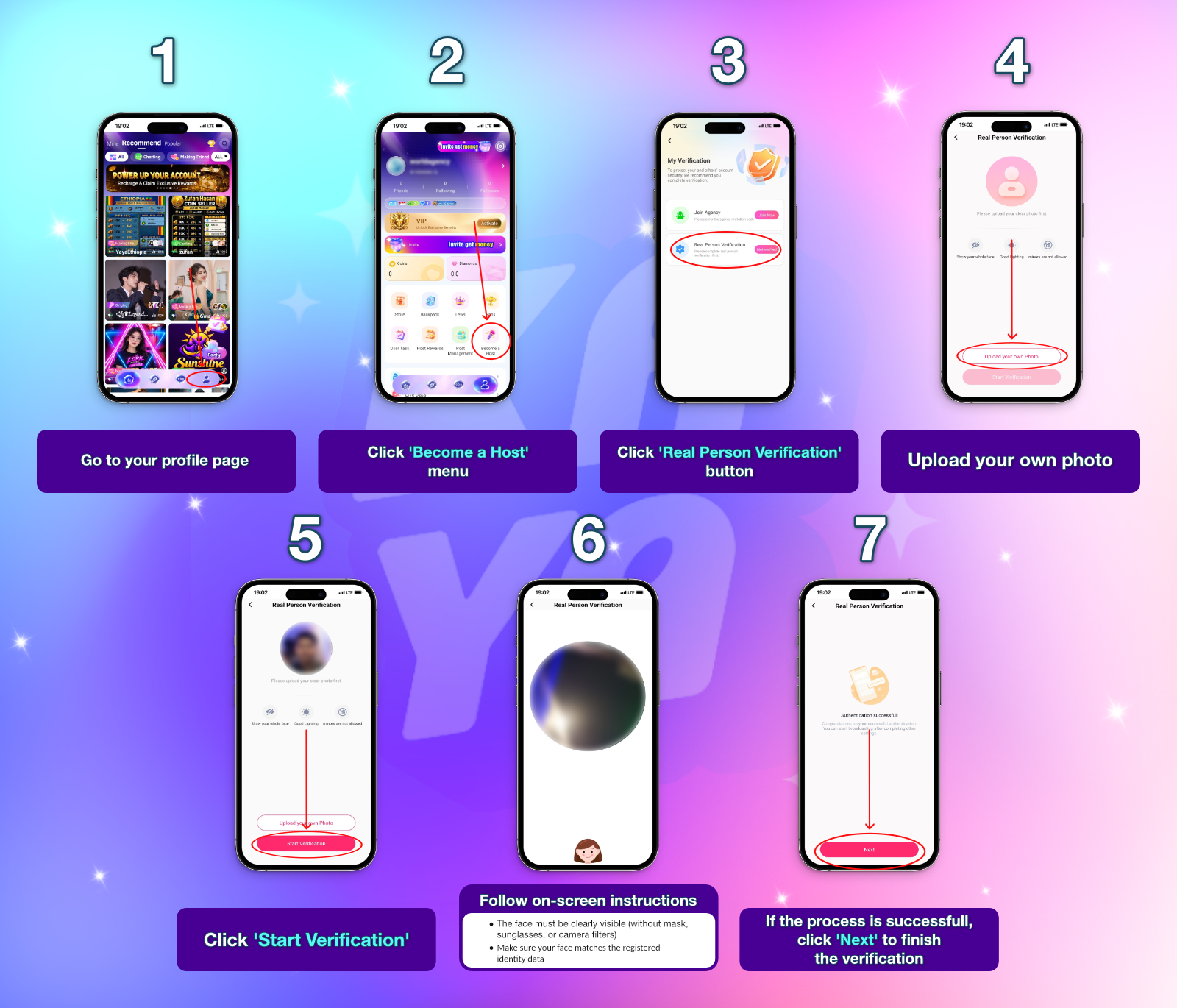
How to Complete Face Verification
Complete real-person verification before continuing with the host registration steps.
Open Kaya Chat and go to your Profile or Me page.
Tap “Become a Host.”
On the verification screen, select “Real Person Verification.”
Upload your own photo.
Tap “Start Verification.”
Follow the on-screen instructions to complete the face check.
When verification is successful, tap “Next” to finish.
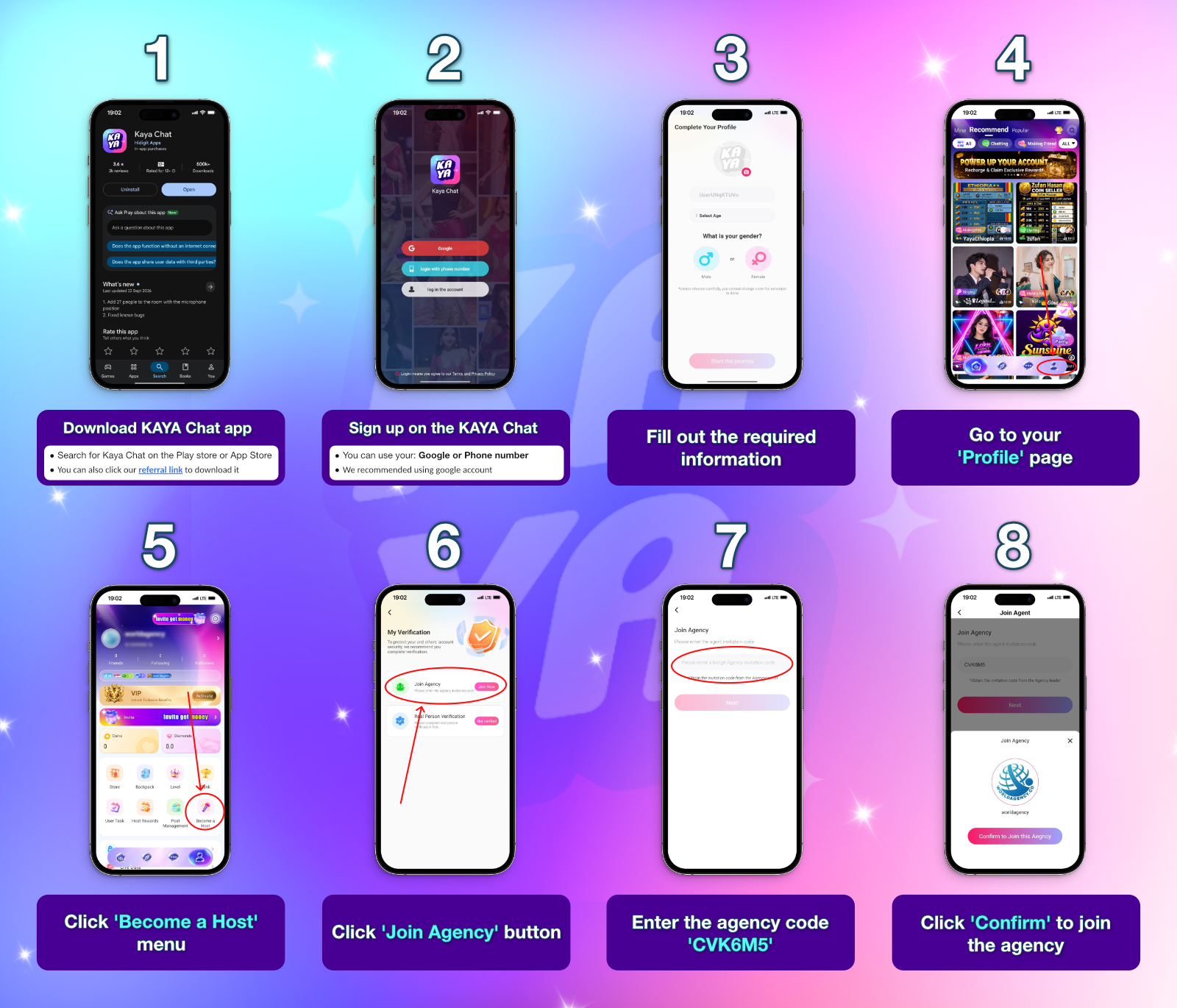
Register as a Host in a Few Steps
Create your account, complete verification, and enter an agency invitation code to continue.
Download Kaya Chat from Google Play or the App Store, or open the referral link here.
Sign up with a Google account or phone number. The registration guide recommends using a Google account.
Fill in the required profile information.
Open your Profile or Me page.
Tap “Become a Host.”
After verification, select “Join Agency.”
Enter the invitation code “CVK6M5”.
Tap “Confirm” to complete this step.
Invite Friends to Join Kaya Chat
Share your referral link or Kaya ID with new users. Eligible invitation rewards depend on how the invited user registers and completes the relevant activities.
Open Kaya Chat and go to your Profile or Me page.
Tap the “Invite Get Money” banner or select the “Invite” row
On the “My Invitations” screen, choose the relevant category: “Inviting host,” “Invitation top-up user,” or “Inviting game player.”
Share your referral link with the person you want to invite, or give them your Kaya ID as applicable.
Ask the new user to register for the first time through your referral link. If they register another way, they should enter your ID in the invitation ID field during registration if that option is available.
Check “My invitations” to review your invitation activity.
For host invitation rewards, the listed milestones are based on the invited host’s qualifying income within 30 days.
Frequently Asked Questions
A Kaya Host takes part in live voice rooms, interacts with participants, and can host conversations of their own. Hosts can also take part in eligible mic-time tasks, gift-sharing rewards, invitations, and ranking events.
Download Kaya Chat, create an account, complete your profile, open Profile > “Become a Host,” finish “Real Person Verification,” then select “Join Agency” and enter the invitation code provided to you.
Earnings vary by activity and eligibility. Listed options include basic mic-time rewards, the 7-Day Income Task, gift sharing, the Room Owner Bonus, invitation commissions, host invitation bonuses, and ranking events. Check the app for the requirements that apply to your account.
